
Commanded off, or self-preservation off
Read the shutdown's shape. A commanded off is clean and punctual: same clock time daily, instant off, instant return when the schedule says so. A protective off carries physical tells: it lands after a consistent runtime (not clock time), often previews with dimming or flicker as protection winds down, and the light only returns after cooling — then trips again sooner as the day heats. One observed cycle, honestly logged, usually settles the family.
Grow setups are scheduler-rich: a mechanical timer, the smart plug's app, the light's own onboard timer, sometimes a controller box — any one can hold a stale rule. The bypass step exists to silence all of them at once, because auditing four schedules one by one is slower than removing them together and watching what the bare light does.
Prepare before testing
- Notebook or phone log — off-times, runtimes and comeback conditions are the diagnosis
- A plain outlet with no controllers — the bypass bench for a scheduler-free test day
- Plug-in power meter — watts at the wall marks the exact minute of shutdown and any pre-dim
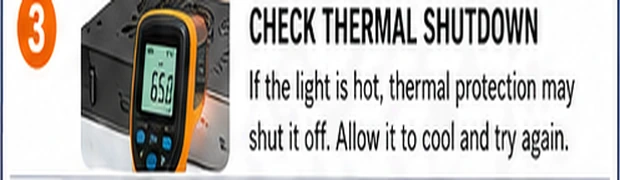
- IR thermometer (optional) — casing temperature at trip time makes 'thermal' a number instead of a theory
All observation, no disassembly. If shutdowns come with burnt smell or a driver too hot to touch, stop testing and treat it as the overheat fault it is.
Check these areas first
- Stale timer or app schedule. last season's 12/12 rule, a sunset automation, or a smart plug's away-mode
- Onboard timer engaged. many fixtures ship with 3/9/12-hour buttons that arm on an accidental press
- Thermal protection tripping. consistent runtime-to-off, dim-before-dark, returns after cooling
- Overloaded or aging driver. protection thresholds drift down as drivers age; the light trips earlier each month
- Power interruptions upstream. a loose plug or overloaded strip drops the light, which restarts into a different state
Diagnostic procedure
Log one full cycle first — the timing data is the whole case. Then bypass, then the thermal checks, then restore controllers one at a time.
Time the shutdown from a cold start
Start the light cold and log: switch-on time, any dimming or flicker later, exact off time, and what brings it back (nothing? cooling? a schedule tick?). Repeat once. Same clock time daily says scheduler; same runtime regardless of start says thermal. This one distinction routes everything that follows.
Bypass every scheduler in the chain
Move the plug to a bare outlet: no mechanical timer, no smart plug, no controller box. In the light's own controls, cancel onboard timers and set any app schedule to manual-on. Run a full photoperiod this way. An uninterrupted day convicts the removed layer; a mid-day shutdown clears every scheduler at once.
Run the comparison at half brightness
If shutdowns persist and the fixture dims: run from cold at 50% and time it. Protection that triggered at ninety minutes on full power holding all day at half power is thermal confirmation from a second angle — and doubles as the bridge that keeps the crop lit while the cooling work happens.
Service the cooling stack
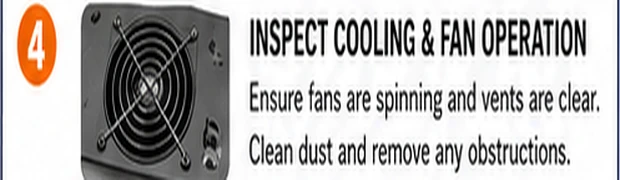
Unplugged and cool: clean fins, fan and intakes; confirm the fan spins promptly and steadily; re-hang for real clearance from the tent roof and canopy. This is the same medicine as the overheat guide because a tripping light is that fault's acute form — the shutoff is just where the thermometer ran out of patience.
Watch power at the wall through a full run
With a meter inline, run a full period and glance at the wattage over time. Steady watts then a clean zero marks a hard trip or cut; watts stepping down before shutdown is protection derating first; brief dropouts recovering by themselves point at a loose plug or overloaded strip upstream rather than the light at all.
Restore controllers one per day
Once the bare light runs clean, rebuild the chain one layer at a time — timer back first, one day's observation; then the smart plug; then any linked controller. The day the shutdowns return names the guilty layer, whose schedule you then actually read rather than trust. Leave the final chain documented on tape on the tent pole.

When the scheduler itself is the patient
Mechanical timers fail honestly: pins loosen, the motor stalls after a power surge, and the dial stops advancing — check that the current-time arrow actually moves over an hour, and that every intended pin is fully pressed. Digital timers and smart plugs fail administratively: clock drifted after an outage, AM/PM inverted, daylight-saving shifted an hour, a random-vacation mode left armed, or the plug's relay wore out and welds or drops under the light's inrush. Test any suspect timer with a lamp for a full day before trusting it again with a photoperiod, and replace smart-plug relays used on high-inrush drivers with models rated for motor or inductive loads — bargain plugs' relays age fastest exactly on this duty.
Making the schedule self-evident
A grow room deserves one authoritative clock, not four. Pick a single scheduling layer, set every other device to manual-on, and label the authoritative one with its rule ('18/6, on 06:00') in marker on tape. Add the cheapest possible witness: a plug-in power meter with a kWh display accumulates run-hours, so any silent gap in the photoperiod shows up as missing energy at the weekly glance — a lie detector for timers that costs less than one ruined week of flowering.